
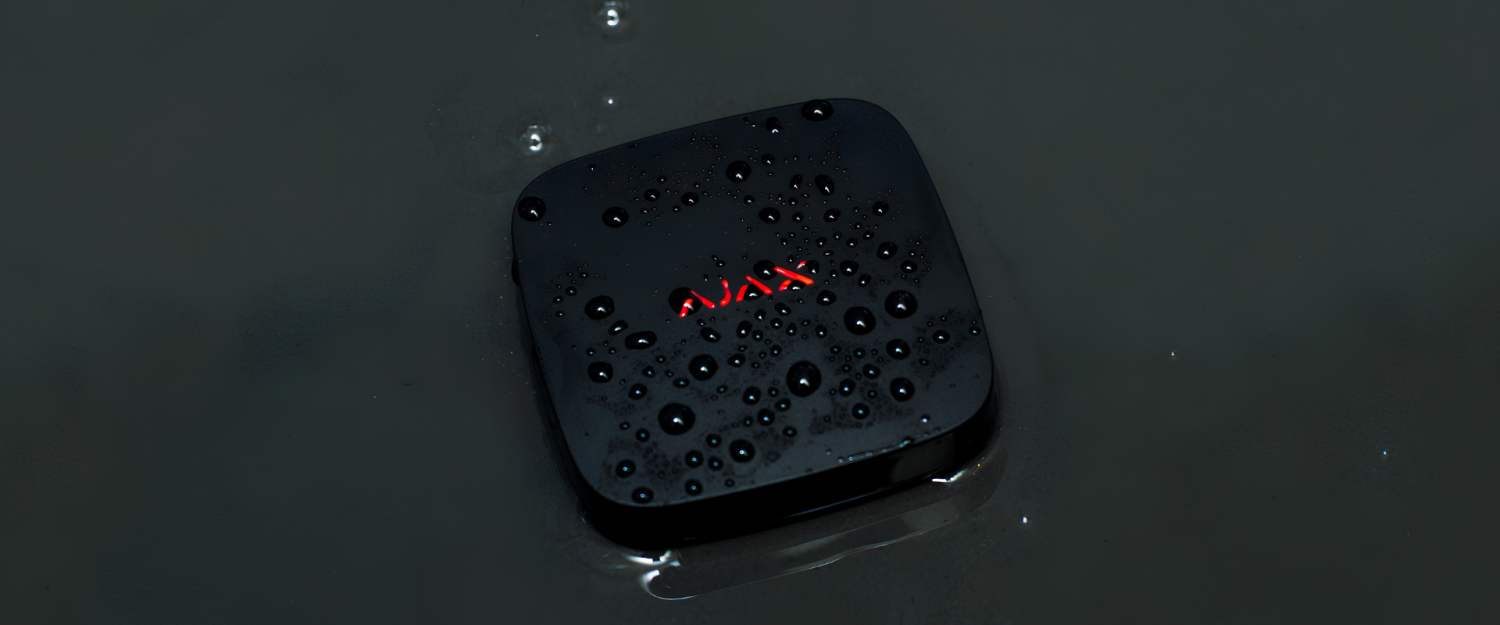
Ajax's Smart Flood Protection
Preventing Water Damage with Automatic Water Protection
A damaged washing machine hose, leaking fitting, or burst water pipe can cause significant damage in a short amount of time. The situation becomes particularly critical when a leak goes unnoticed. In a basement, utility room, or unoccupied property, for example, water can escape for hours before it is noticed.
Therefore, professional flood protection should do more than just detect water. It should identify leaks as early as possible, report them, and shut off the water supply automatically when necessary.
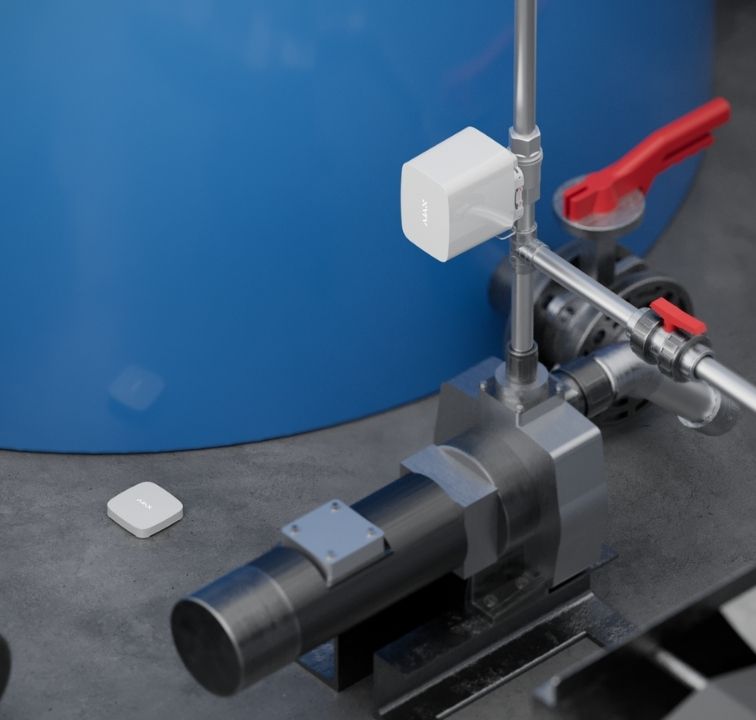
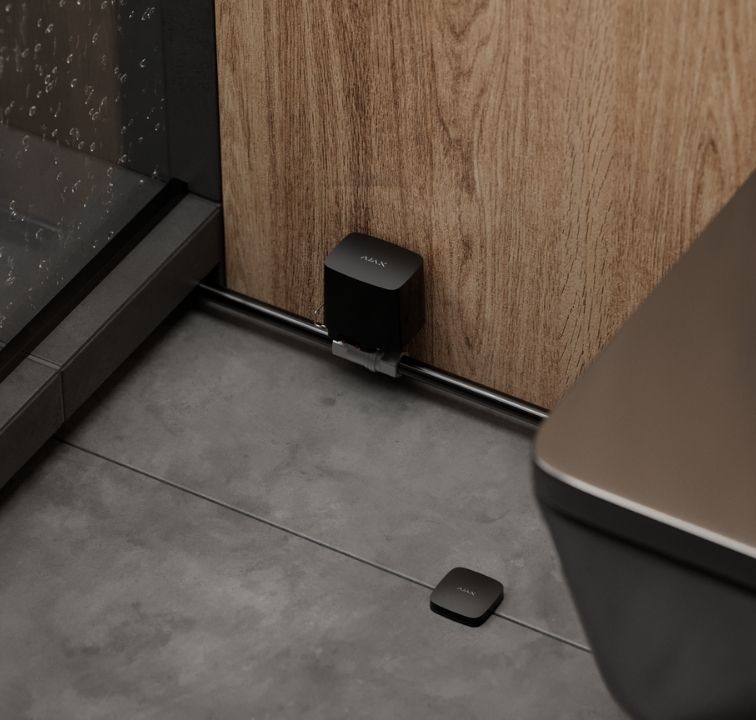
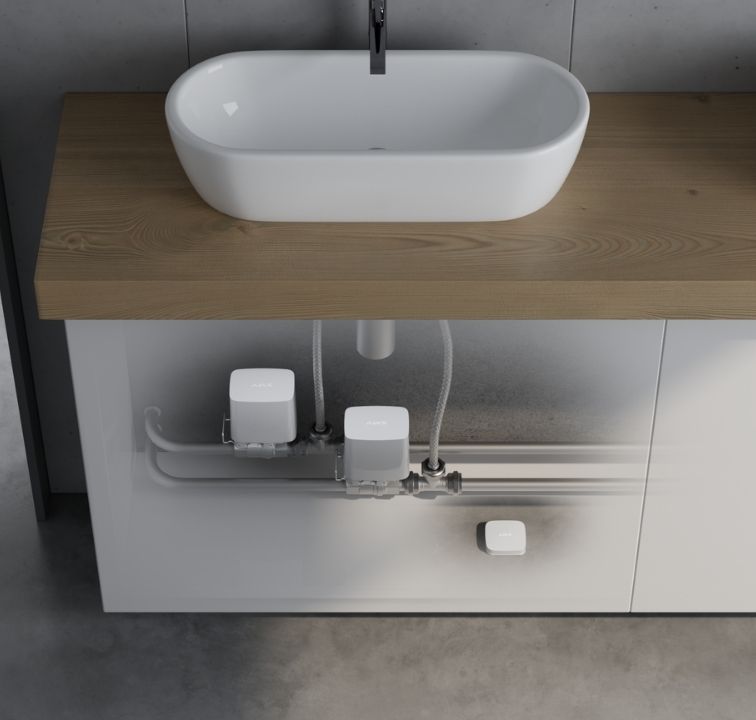
The Ajax system combines these functions with LeaksProtect Jeweller and WaterStop Jeweller. LeaksProtect detects water through its sensing contacts and sends an alarm to the Ajax hub. Then, a configured automation scenario can trigger WaterStop to close the water supply.
This creates a water protection solution that does not rely on someone receiving an alert and reaching the property in time to manually react.
How Ajax Flood Protection Works
The solution consists of three main elements: a water leak detector, a hub, and a water shutoff valve.
The LeaksProtect Jeweller detects the presence of water. As soon as water reaches its sensing contacts, the detector sends an alarm to the Ajax hub. The hub then processes the event and can trigger further actions depending on the configured automation scenarios.
One possible response is to activate an installed WaterStop Jeweller to close the water supply.
LeaksProtect and the hub communicate using the encrypted Jeweller radio protocol. Ajax specifies a communication range of up to 1,300 meters in an open space for LeaksProtect. The specified communication range for WaterStop is up to 1,100 meters in an open space. Actual performance depends on the building's structure and other environmental conditions; therefore, the radio connection should always be checked at the planned installation location.
Here's a process overview.
1. Water reaches a monitored area.
2. LeaksProtect detects the water.
3. The detector sends the event to the Ajax hub.
4. The hub executes the configured automation scenario.
5. WaterStop closes the water supply.
6. Users and, where applicable, a security company receive an event notification.
The individual components work together as part of one system. The hub and configured automation determine the response to a detected leak.
LeaksProtect Jeweller Detects Water at an Early Stage
The LeaksProtect is a wireless water leak detector designed for indoor use. It has four pairs of water-sensitive contacts located on its underside. When water reaches at least one pair, LeaksProtect detects the leak and immediately sends an alarm to the Ajax hub.
The detector remains active regardless of whether the security system is armed or disarmed. This is particularly relevant for water protection because a leak can occur at any time, regardless of the current security mode.
When water is detected, the system can notify users through the configured communication channels. Depending on the configuration, the system can send push notifications, text messages, or calls. LeaksProtect can also report when its contacts have dried again.
What Happens When the Sensor Dries?
After detecting water, LeaksProtect does not generate new alarms continuously while the contacts remain wet.
Instead, the detector waits until the contacts are dry. If water is subsequently detected, a new alarm is generated.
This behavior can be verified during the installation's commissioning and testing. Ajax also provides Jeweller signal strength testing to verify the wireless connection between the detector and the hub.
Choosing the Right Location for LeaksProtect
Proper positioning is essential for reliable water detection. Install the detector where leaking water is likely to reach it early on.
Typical installation locations include:
- underneath washing machines
- underneath dishwashers
- underneath sinks
- near bathtubs and showers
- close to heating and plumbing equipment
- in basements
- in technical or utility rooms
- near critical water connections
LeaksProtect is intended for indoor use. The wireless connection to the Ajax Hub must also be considered when selecting the installation location.
Ajax recommends checking the Jeweller signal strength at the intended position. Walls, ceilings, metal structures, and other obstacles can affect radio communication.
Ajax specifies a minimum distance of one meter between LeaksProtect and the hub.
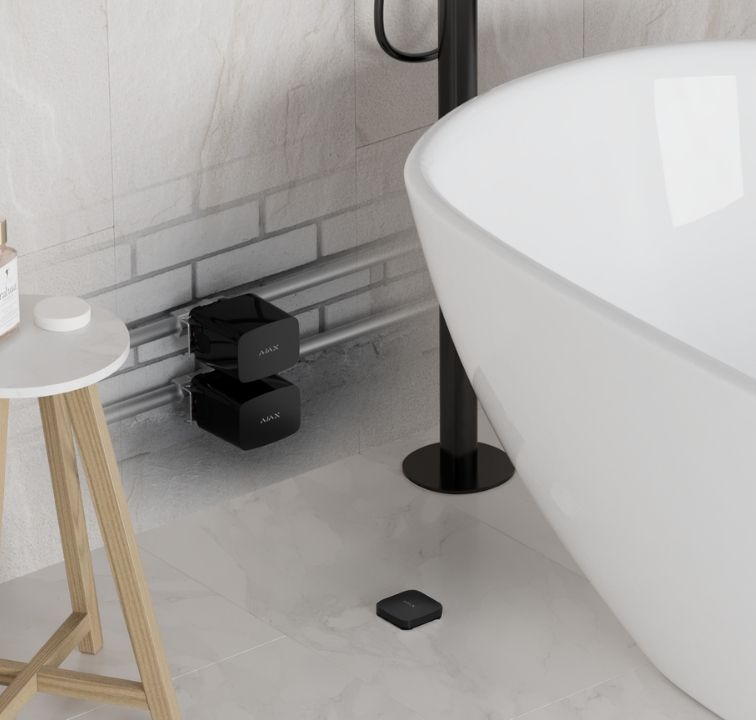
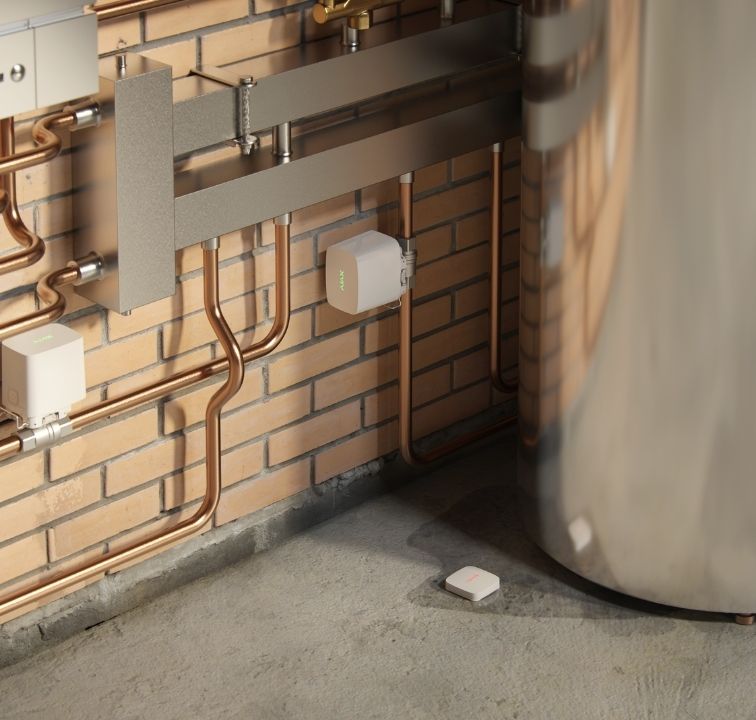
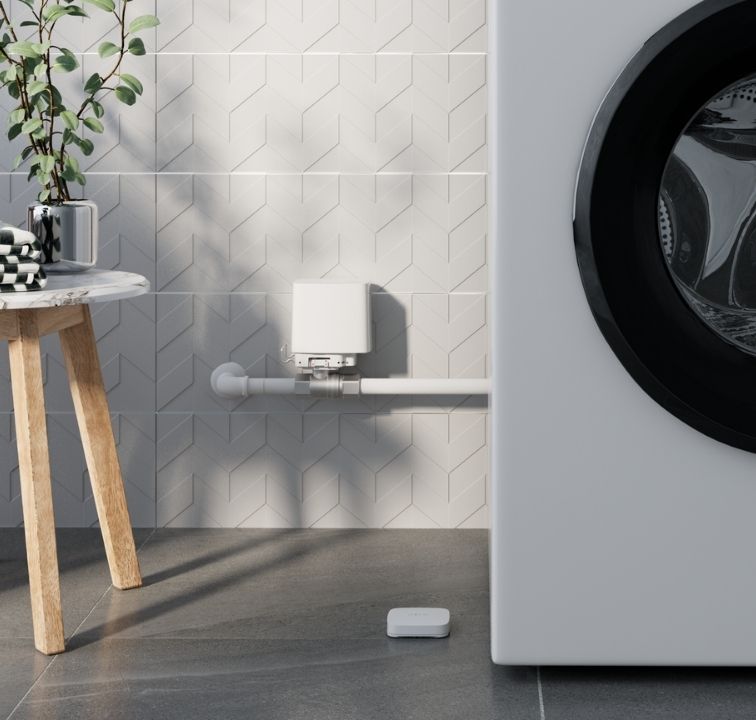
WaterStop Jeweller: Automatic Water Shutoff
LeakProtect detects leaks. The WaterStop Jeweller controls the water supply.
The WaterStop is an intelligent water shutoff valve with an electrically controlled actuator. It requires an Ajax Hub and communicates with the system using the encrypted Jeweller protocol.
The valve can be controlled in several ways, including through the Ajax app, the button on the actuator, the manual valve lever, or configured automation scenarios.
For installers, manual operation is useful during installation, maintenance, and emergency situations. The lever on the mounting plate allows the valve to be manually opened or closed without additional tools.
Battery or External Power Supply
According to Ajax, WaterStop is supplied with pre-installed batteries and can operate on battery power for up to three years.
Alternatively, it can be powered by a third-party power supply that provides 7.5–14 V DC and an operating current of at least 1.8 A.
Therefore, the intended power supply should be considered during the installation planning stage.
Automation: What Should Happen After a Water Leak?
One of the most important features of the Ajax solution is the ability to define what happens after an alarm.
WaterStop supports various automation scenarios. These include responses to alarms, changes in security mode, and scheduled actions. Depending on the installed devices, scenarios can be linked to the Button, LightSwitch, temperature, humidity, or CO₂ levels.
The "By alarm" scenario is particularly relevant for flood protection.
Automatically Shut Off Water After a Leak
A typical setup looks like this:
The LeaksProtect detects water, triggering an alarm, which closes the WaterStop valve.
This scenario is configured in the Ajax app. The alarm from one or more LeaksProtect detectors can be used as the trigger. This allows you to define exactly which water supply should be shut off when a leak is detected.
Therefore, several water leak detectors can be used within the same project depending on the size and layout of the property.
Control the Water Supply According to a Schedule
The WaterStop can also be operated according to a schedule. This is useful when the water supply needs to shut off automatically outside of operating hours.
Another option is to link WaterStop to the security system. For instance, the water supply could close automatically when the system is armed.
The most suitable configuration depends on the building, how it is used, and the customer's requirements.
Leakage Response: Preventing the Valve from Being Reopened
Current Ajax systems with WaterStop and LeaksProtect also offer an additional setting relevant for professional installations.
The "Leakage Response" feature can be configured to close WaterStop after a leak is detected. It will remain closed until the leak is resolved.
According to Ajax, this feature is available from OS Malevich 2.36. It helps prevent the water supply from being accidentally restored while the cause of the leak is still present.
This can be useful for installers when a clear response process is required, such as when the leak must first be investigated and resolved before the water supply can be restored.
However, Ajax specifically states that this function must not be used in water-based fire extinguishing systems.
Preventive Maintenance for WaterStop
WaterStop includes a preventive maintenance function that operates the valve at regular intervals.
You can set the maintenance interval to 7, 30, or 90 days and define the time at which the valve should be activated.
This regular operation helps ensure that the valve remains mechanically operational instead of remaining in the same position for an extended period.
For professional installations, this function can be incorporated into the property's maintenance plan.
Control via App, Button, Manual Lever or Automation
The WaterStop can be activated automatically following a water alarm.
The valve can be operated in the following ways:
- through the Ajax apps
- using the button on the electric actuator
- using the manual lever
- through automation scenarios
- through compatible control devices within the Ajax ecosystem
These options give installers flexibility when designing the control concept for a project.
The button on the actuator can be disabled in the settings. When this option is enabled, the valve can only be controlled through the Ajax app or configured automation scenarios.
Planning an Ajax Flood Protection System
The planning process should start with the building itself rather than with individual products.
Which appliances are connected to the water supply? Where are the relevant pipes and connections? Which areas would be most affected by a leak? Should the entire water supply be shut off or only a specific section?
A LeakProtect installed under a washing machine serves a different purpose than a detector installed in a utility room. Similarly, WaterStop installation must be planned according to which section of the water supply should be isolated in the event of an alarm.
Radio planning is another important part of the installation process. Both LeaksProtect and WaterStop communicate wirelessly with the Ajax hub. Therefore, signal strength should be checked at the intended installation locations.
Depending on the system configuration, an Ajax radio signal range extender may be used if the radio connection is insufficient.
Installation, Testing and Maintenance
After installation, it is better to test the entire system rather than checking the individual components separately.
For LeaksProtect, this includes testing whether the detector recognizes water and reports the event correctly. After drying, the contacts should also be checked to verify that the detector returns to its normal state.
WaterStop should also be tested. The valve should open and close correctly, and the configured automation scenario should trigger as intended.
This complete test is particularly important for automatic water shutoff systems. A detector may communicate correctly with the hub while the automation scenario itself is not configured correctly. Testing the entire chain confirms that the system responds as planned.
Flood Protection for Residential and Commercial Properties
Although the actual system design will vary, the same basic principle can be applied to different types of buildings.
Houses and Apartments
In residential properties, kitchens, bathrooms, utility rooms, and basements are common areas where water leak detection is necessary.
Depending on the installation, you can monitor individual risk points or use several LeaksProtect detectors throughout the property.
Holiday Homes and Second Homes
Properties that remain empty for extended periods present a particular challenge. A leaking connection may go unnoticed for days or weeks.
Remote notifications combined with an automatic water shutoff system can reduce the time between when a leak starts and when it is addressed.
Offices and Commercial Buildings
These properties can contain numerous potential sources of water damage, including sanitary facilities, kitchens, technical rooms, and connected appliances.
Larger installations should be designed around the building's existing pipework and the required level of zoning. During the project planning stage, the number and location of detectors, as well as the required WaterStop valves, should be determined.
Integrating Water Protection into an Ajax Security System
LeaksProtect and WaterStop can be integrated into an existing Ajax system and managed through the same platform used for other security functions.
These applications allow installers and users to configure devices, monitor events, and create automation scenarios.
According to Ajax documentation, LeaksProtect can also be integrated into third-party security systems using uartBridge or ocBridge Plus.
This is useful for projects that require water protection to be incorporated into an existing security infrastructure rather than installed as a separate system.
A Water Leak Detector Can Do More When It Is Part of a System
Detecting water is only one part of protecting a property against water damage.
LeaksProtect detects water and sends the information to the Ajax hub. The hub can then activate a pre-programmed response, such as closing the WaterStop valve and shutting off the water supply.
The system can be configured to meet different operating requirements, including scheduled water shut-off, security mode changes, preventive valve operation, and the leakage response function.
This provides installers with flexibility when designing water protection for different properties. The system can be adapted to a building's layout, existing water installation, and customer requirements.
Detect the Leak and Stop the Water
Water leaks cannot always be prevented. However, the amount of water that escapes and how quickly you react can be influenced.
Ajax combines water leak detection with automatic water shutoff with LeaksProtect Jeweller and WaterStop Jeweller. The LeaksProtect device detects water at specific locations and sends an alert to the Ajax hub. Then, a configured automation scenario can instruct WaterStop to close the water supply.
Additional functions, such as scheduled control, security-mode automation, preventive maintenance, and the "leakage response" setting, provide installers with more options when designing a system.
The result is a flexible solution that can be used in residential properties, vacation homes, and commercial buildings. However, proper planning remains essential. Potential leak points must be identified, radio communication must be checked, and the desired response to a water alarm must be configured and tested.
Frequently Asked Questions About Ajax Flood Protection
How does the Ajax system detect water leaks?
The LeaksProtect Jeweller uses four pairs of water-sensitive contacts. When water reaches at least one pair, the detector sends an alarm to the Ajax hub.
Can WaterStop automatically shut off the water after a leak?
Yes. It can be configured with an automation scenario that reacts to an alarm from LeaksProtect and closes the water valve.
What is the wireless range of LeaksProtect?
Ajax specifies a communication range of up to 1,300 meters in open spaces. However, the actual range depends on the building's structure, the presence of obstacles, and other environmental conditions.
How is WaterStop powered?
WaterStop comes with pre-installed batteries that can power it for up to three years. Alternatively, it can be powered by an external 7.5–14 V DC power supply that provides at least 1.8 A of operating current.
Can WaterStop be operated manually?
Yes. It can be controlled through the Ajax apps, by pressing the button on the actuator, or by turning the manual valve lever.
Can the water supply be shut off automatically when the security system is armed?
Yes. WaterStop can be linked to changes in security mode through automation scenarios. This allows the water supply to close automatically when the system is armed.
What does the "leakage response" feature do?
It can prevent WaterStop from reopening after a leak is detected until the leak is resolved. According to Ajax, this function is available from OS Malevich 2.36.
Can LeaksProtect be integrated into a third-party security system?
Yes. According to Ajax, LeaksProtect can be integrated into third-party systems using uartBridge or ocBridge Plus.

